Docnix
Your team's riders, plots and manuals, with everyone's annotations, on the computer, phone and tablet.
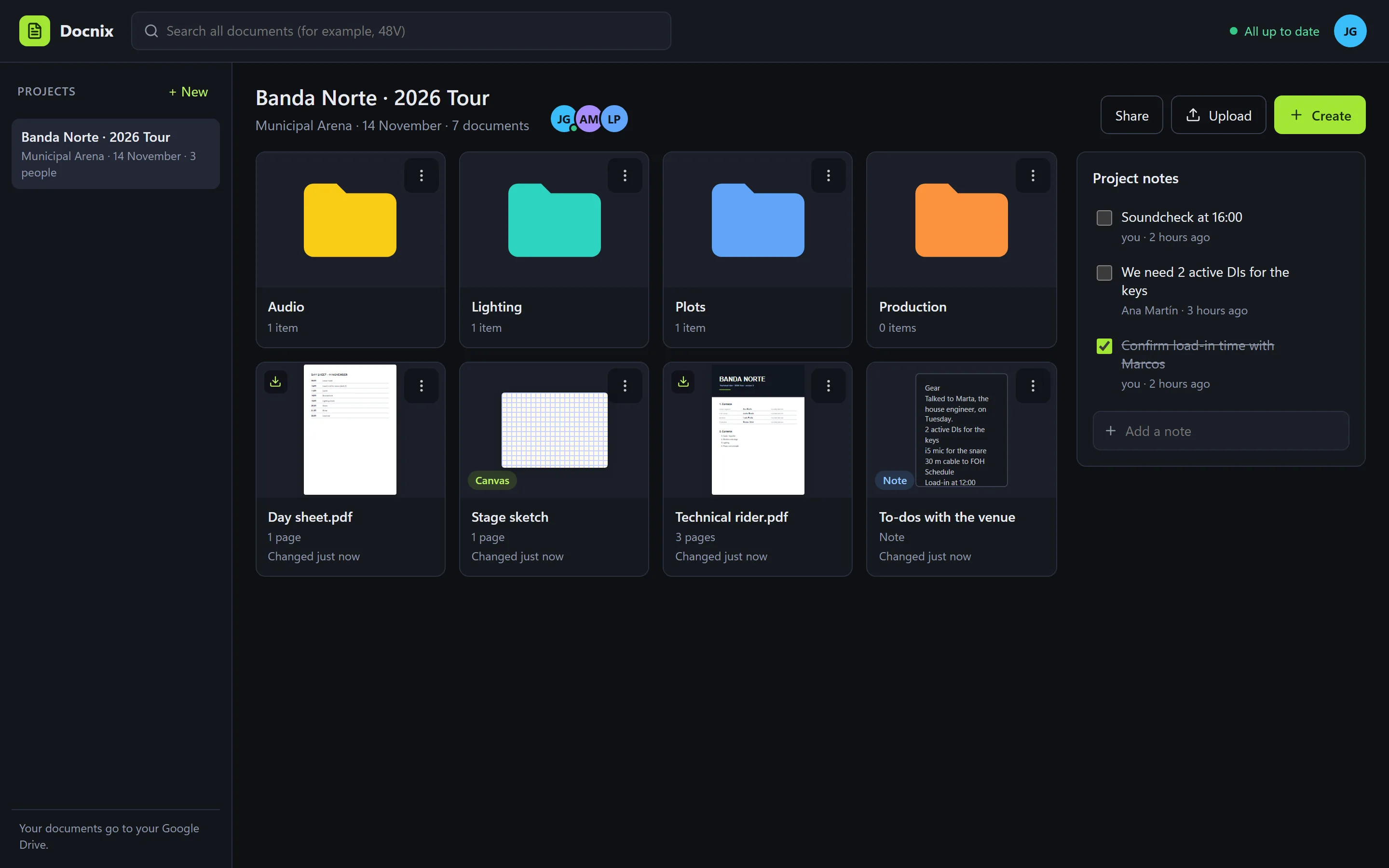
Each project (a tour, a gig, a shoot) with its technical documents, in the Google Drive of whoever creates it. The whole team opens them on any device, writes on top without touching the original and sees it instantly. Offline too.
On a phone or tablet, open it and add it to the home screen: it stays there like an app.
Free. To create projects you need your license: ask for it here → To join one you're invited to, you don't: you create your account when you accept the invitation.
Or the app for your computer
Loading the downloads…
Even though they are published, the apps may still have bugs: always keep your own copies of anything important. If you find one, or have an idea to make them better, tell us here.
Using several? Try Hubnix
Sign in with your account and your apps are installed, activated and kept up to date from one place.
In your Google Drive
Documents go to a “Docnix” folder in the Drive of whoever creates the project, with their annotations and notes. Docnix only sees what it uploads: nothing else in your Drive.
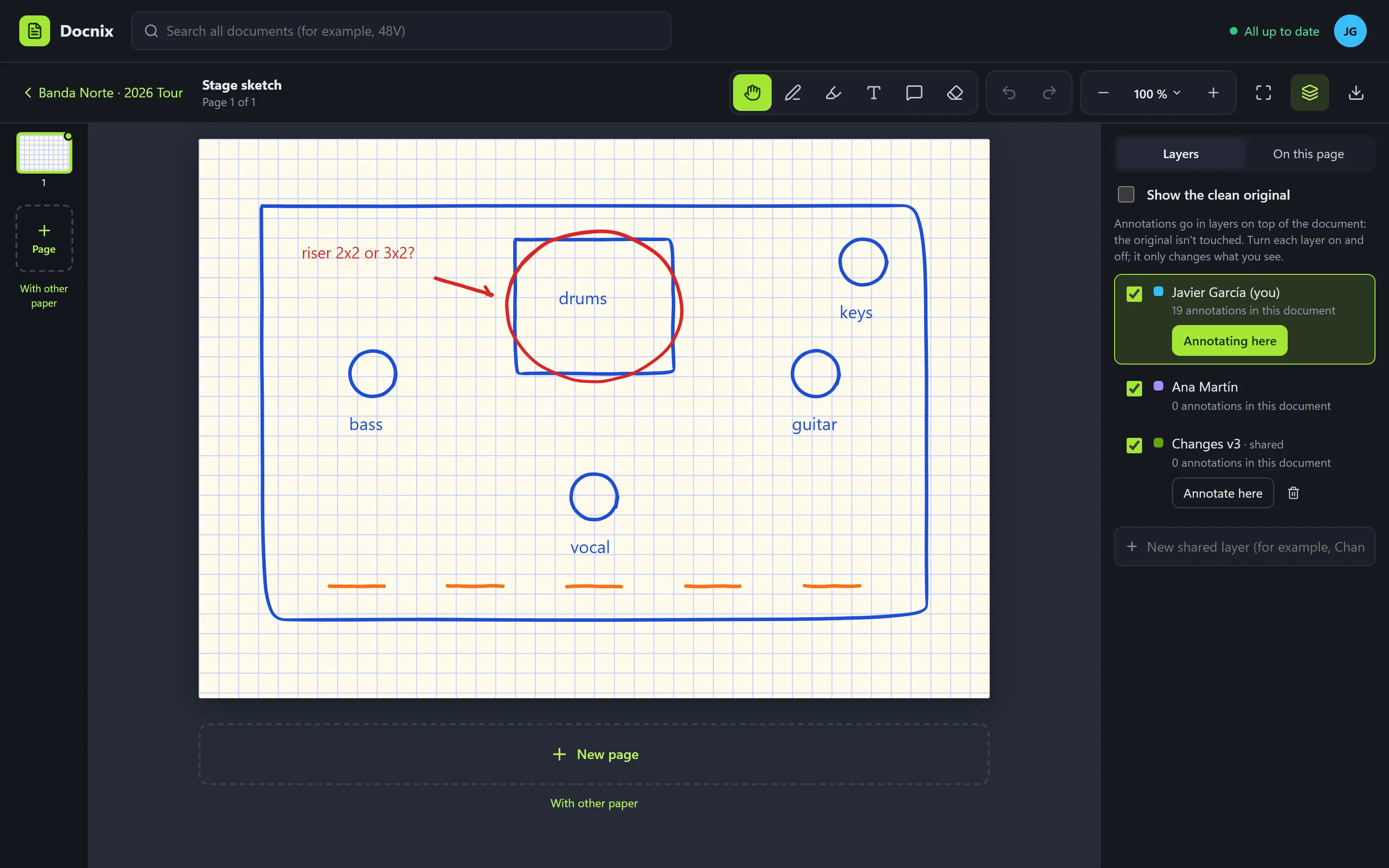
Annotation layers
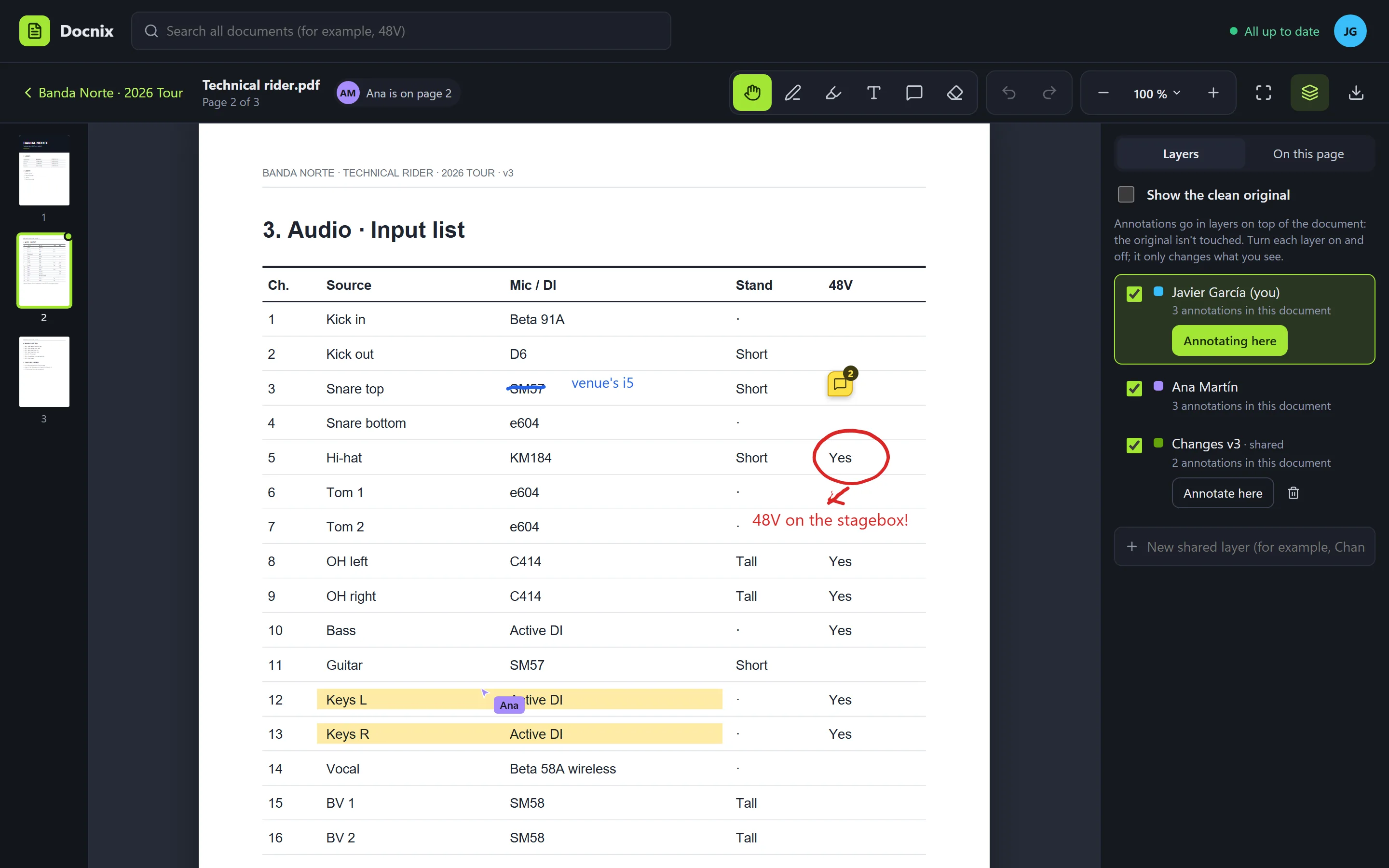
Pen (Apple Pencil too), highlighter, text and notes with replies, on top of the document. The original isn't touched: each layer turns on and off.
The whole team, instantly
Invite people by email to edit, annotate or just view. What one person writes, the others see right away, and which page everyone is on.
Canvases, notes and folders
Canvases to write by hand (blank, lined, grid or dotted) and text notes with lists and checkboxes, several people at once. All in your folders.
Offline
Documents are kept on the device. Without a connection you annotate just the same; when it's back, it all merges by itself, without overwriting anyone.
Search inside
In every document and note at once: “48V”, “Shure”, “load-in 2”… and open the page where it is. And download it as a PDF with the annotations.